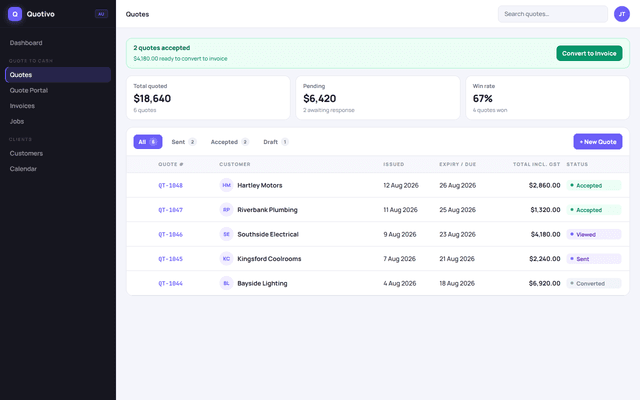
Quote portal
They open the quote. You message them there.
Send the quote. Bring the messy ones out of your email and keep them in one place. Your client opens it in the portal and you can message them while they decide. Then manage the job and the project, send the invoice, and see what has been paid.
SALES
WORK
INSIGHTS
Dashboard
Good morning, Alex
Your business at a glance
REVENUE THIS MONTH
$0
incl. Tax · Oct 2026
PAID INVOICES
$0
0 invoices collected
OUTSTANDING
$0
0 invoices awaiting payment
OVERDUE
$0
0 invoices past due
GST COLLECTED
$0
On paid invoices
GST PAID (EXPENSES)
$0
Claimable
NET BAS LIABILITY
$0
Q2 FY2027
NEXT BAS DUE
28 Feb 2027
Q2 FY2027
Revenue collected
Invoiced vs. collected · last 8 months
Quote pipeline
View all
Quote accepted
Ready to invoice
Payment received
$2,400 · Invoice #1048
Invoice total
$2,400.00
They open the quote. You message them there.
The visit, the crew, and the longer job.
Send it, then mark what was paid.
Quotes, invoices, and who still owes you.
Quotes, invoices and GST live in the same workspace.
On a normal job
The client opens the quote, you message them there, then the job, the project and the invoice stay on that same customer.
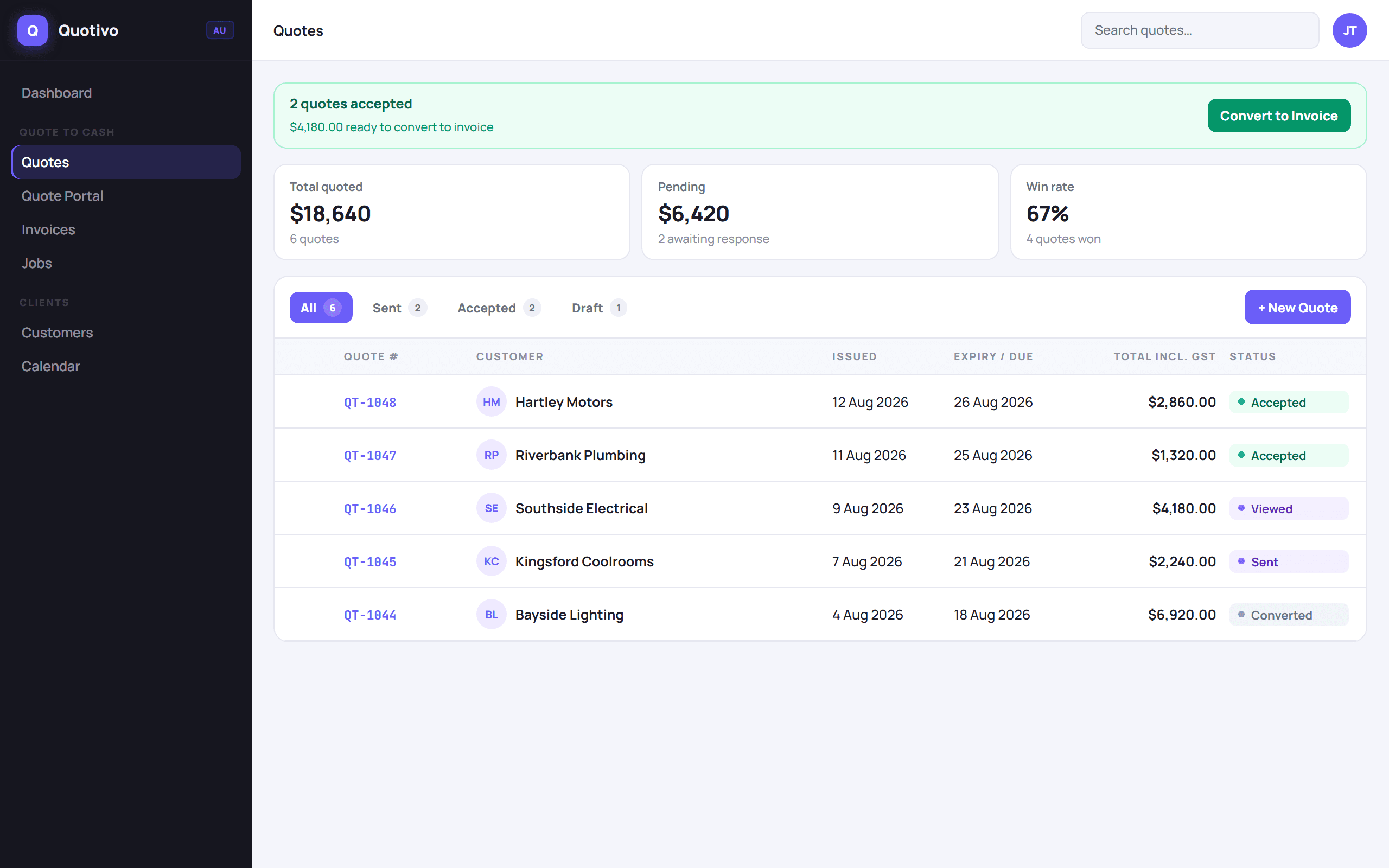
Live
Signed on the portal
01 / 05
Portal, sign and accept
Share a link, not a PDF chase. Clients open the quote, read the scope and sign it on their phone. You see viewed, accepted and ready-to-invoice without ringing around.
Learn moreHow it works
Scope, price and GST. The same lines become the invoice later.
No client login. They read it, accept it, or message you on the quote.
The visit, the crew and the longer project stay with that customer.
They can pay by bank transfer or by card. You still see what has been paid.
What customers notice
Three parts of the work that used to live in email, texts, and a spreadsheet.
Quote portal
Send the quote. They open it, ask a question, and accept it. No account for them. Quotes that were stuck in email can sit in the same list.
“Looks good. Can you start Thursday?”
Try the portalJobs and projects
When they accept, the visit is already there. Add the crew and the longer project without starting another file or digging through texts.
“Ensuite fit-off, same quote.”
Try a jobGet paid
The same lines become the invoice, with GST. They pay from the link by bank or by card. You still see what has not been paid.
“Paid. The receipt is on the invoice.”
Try an invoiceNo. You send a link. Anyone with that link can open that quote, invoice, or job visit. Treat the link like a secret.
Yes, once you connect Stripe. The invoice still shows your account name, BSB, account number and PayID, so they can pay by bank transfer or by card.
Yes. Australian workspaces use GST on quotes and invoices, and reports include a BAS summary of what you have billed. Invoicerr does not lodge the BAS for you.
Starter is $0. One user, unlimited estimates, and five open invoices a month. You are not charged a card to create the workspace.
Simple plans in AUD
Starter is free for a small amount of quoting. Pro is A$14.99 and Team is A$69, ex GST, for the full workspace. Prices stay under per-person trade tools.